
A new feature of Revit 2022 is the ability to export sheets to PDF files. And you can provide custom naming rules for batch exporting of PDF drawings. In this video I show you how this new feature works, where it could improve, and a third party plug-in which has similar functionality. https://youtu.be/zbeiiEvef8k … [Read more...] about Finally! Native PDF Export. New for Revit 2022
Revit: Show Load Bearing Shade Hatch Under a Slab
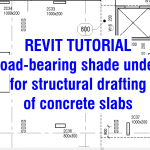
What structurally supports a slab under is more important than what is over for structural drafting. For example; How can I tell from a plan view how far this slab is spanning? Are any columns or walls transferring load through slabs to the supports under? In this Revit how to video, I demonstrate two hacks for showing the load-bearing shade under for structural … [Read more...] about Revit: Show Load Bearing Shade Hatch Under a Slab
Electrical Circuit Meme: Series, Parallel or Daisy Chain
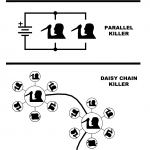
Which is more effective. A series (serial), parallel or daisy chain killer. Electrical Circuit Killer Meme Download a DWG verision of this meme at: https://blocks.draftsperson.net/download/electrical-circuit-meme/ … [Read more...] about Electrical Circuit Meme: Series, Parallel or Daisy Chain
Opening AutoCAD 2022 for The First Time and What is New

AutoCAD 2022 has been released. Watch me open it for the first time after install. Let's see what happens! We will also do a review on what is new and discuss if any of the updates are of interest. And I will field test two of the new features; count and floating drawing windows. https://youtu.be/a4sUUtu5TG0 … [Read more...] about Opening AutoCAD 2022 for The First Time and What is New
P&ID Valve Symbols: What to Use for Each Valve Type

For my P&ID drafting of valves, what industry standard symbols should I use? A handy chart for P&ID Drafting DWG and PDF file formats of these symbols can be downloaded at: https://blocks.draftsperson.net/download/pid-valve-symbols/ … [Read more...] about P&ID Valve Symbols: What to Use for Each Valve Type
Revit: Align Floor Plans to the Same Spot on Each Sheet

How do you align floor plan views to the same location on every sheet? For example how can I create a PDF file of level 4 and level 5 floor plan and they are in the exact location on each of there respective sheets? This will be handy when I use Bluebeam Software and I wish to overlay two PDF files quickly. In this video tutorial, learn how to do this in Revit … [Read more...] about Revit: Align Floor Plans to the Same Spot on Each Sheet